
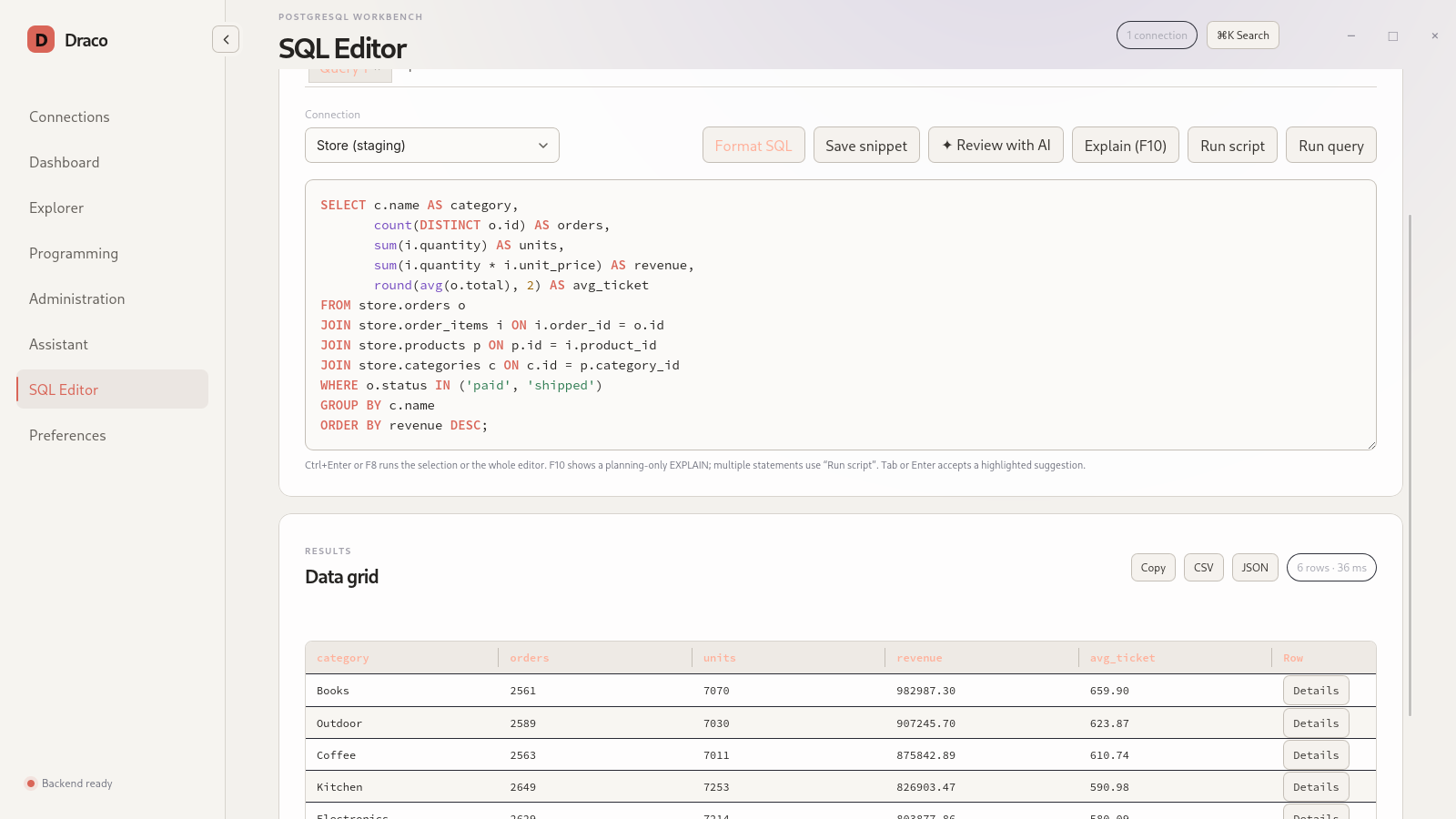
Full SQL editor
Tabs, highlighting, schema-aware autocomplete, query or script execution, EXPLAIN and cancellation aimed at the operation's own backend.
Free PostgreSQL client · version 2.2.1
The open-source PostgreSQL client for Linux and Windows that brings a
schema explorer, SQL editor and administration tools together in a
native, lightweight and free app — no psql needed for everyday work.
Features
From the first SELECT to server maintenance, in a single window.
Tabs, highlighting, schema-aware autocomplete, query or script execution, EXPLAIN and cancellation aimed at the operation's own backend.
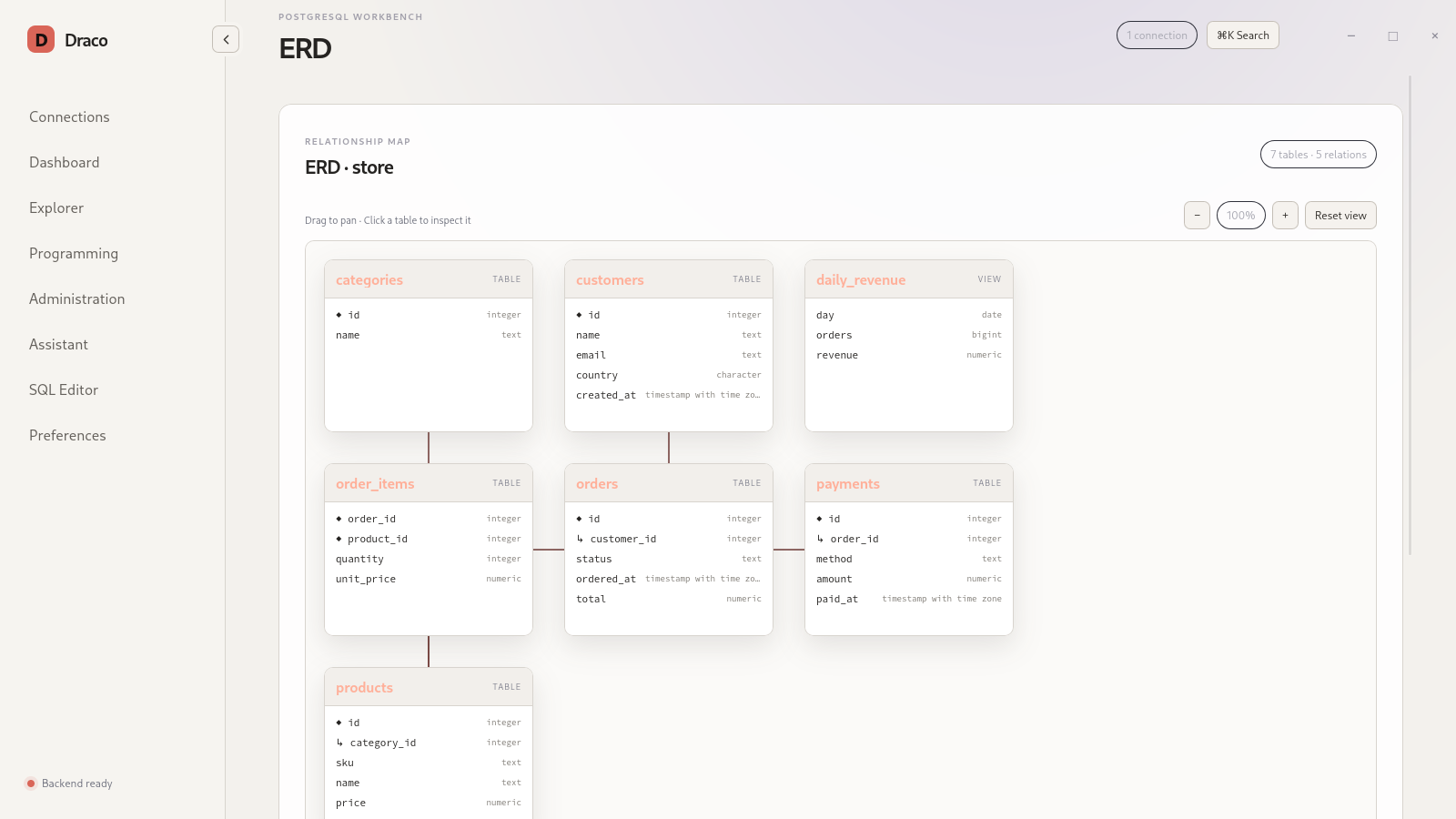
Lazy browsing of schemas, tables, views, functions, procedures, sequences and triggers, global search and a navigable ER diagram.
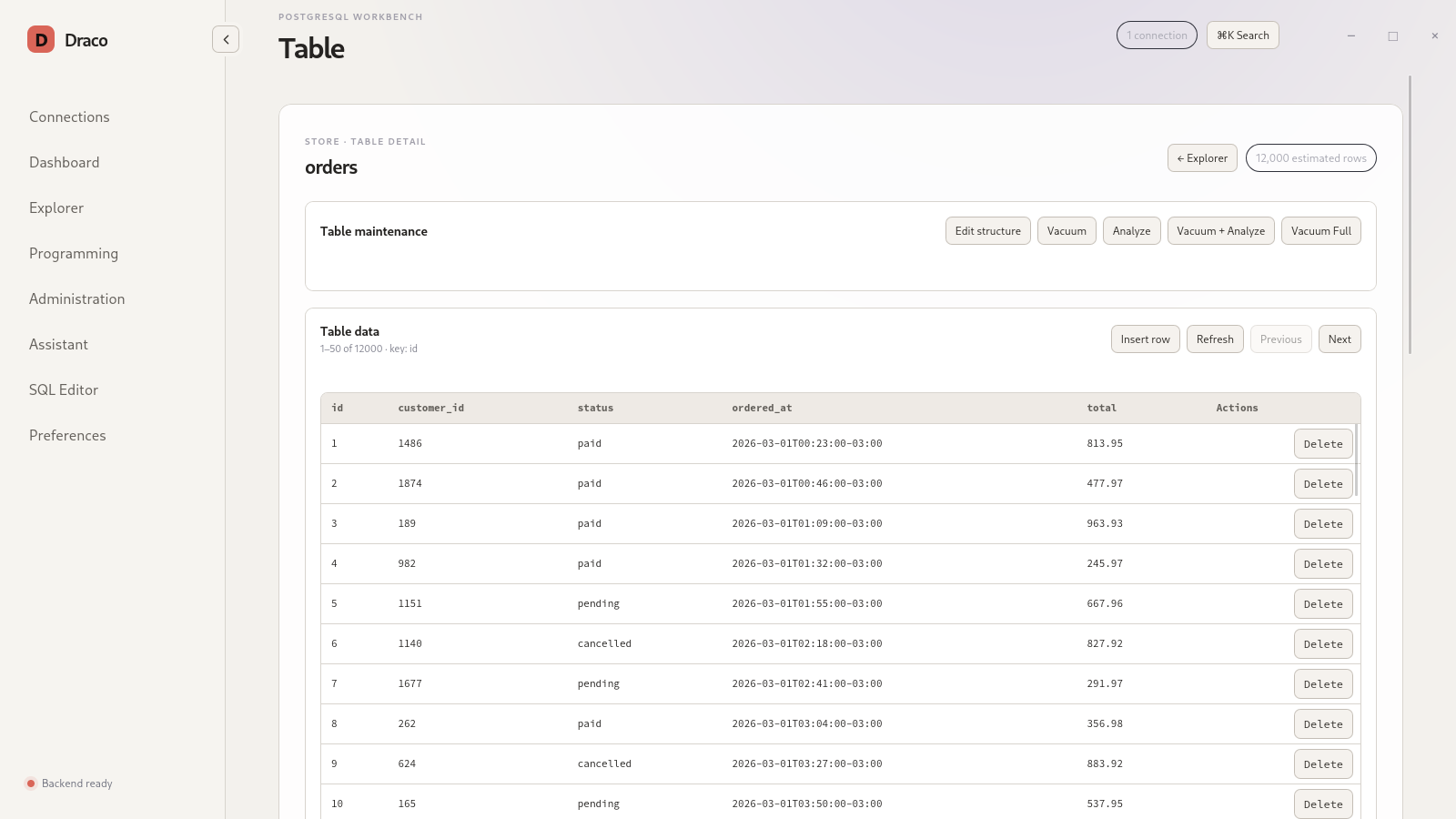
Virtualized results, row detail, TSV copy, CSV/JSON export and paginated editing by primary key.
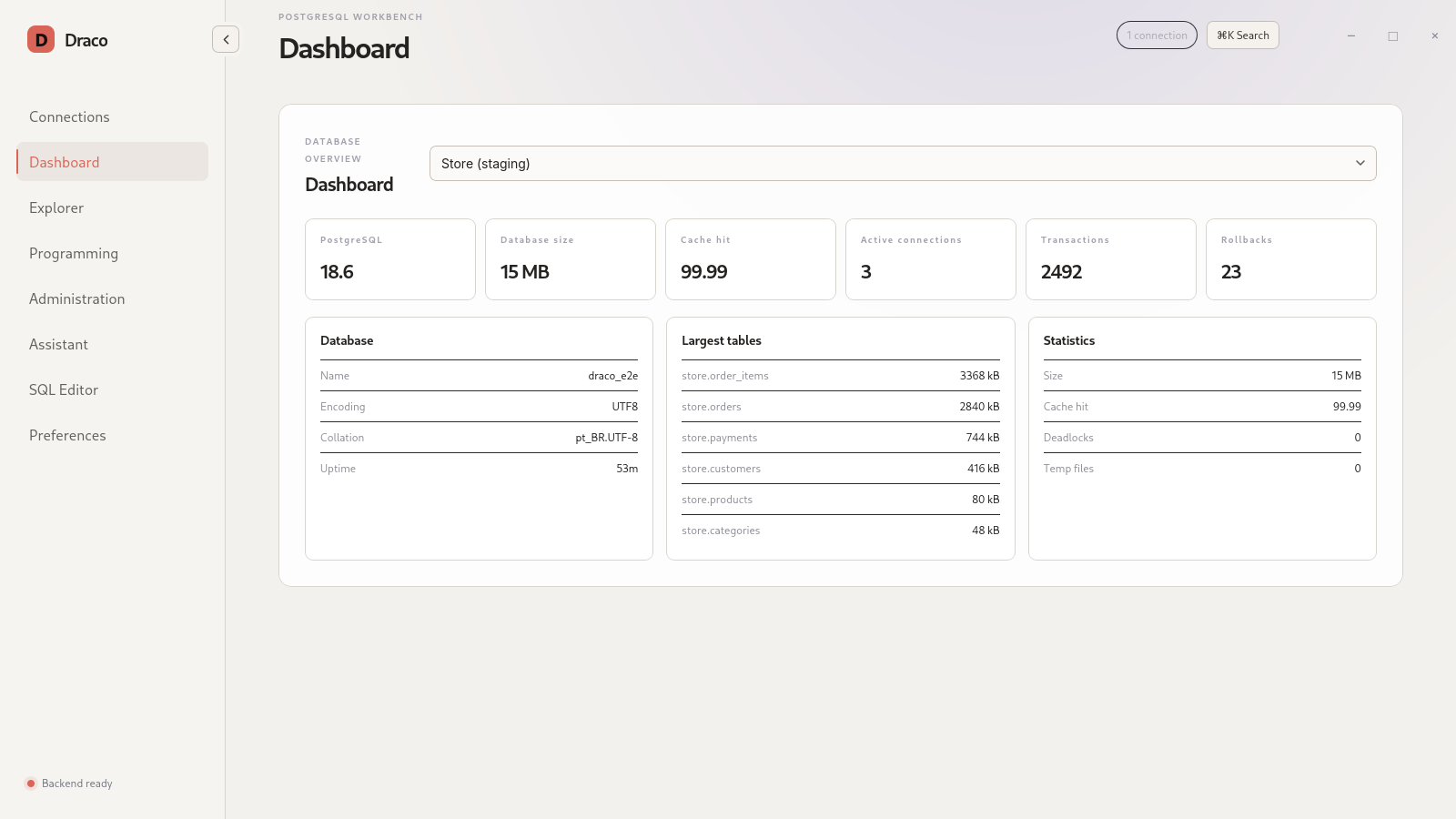
Dashboard, activity and locks, roles, extensions, pg_cron, pg_stat_statements and maintenance with VACUUM/ANALYZE.
A dedicated editor for views, functions, procedures and triggers, with branches, diffs against the deployed database, commits and pull requests.
Anthropic, OpenAI, Gemini or an OpenAI-compatible server such as Ollama (experimental), per connection, with read-only tools and SQL review for security, performance and readability.
Cancellable operations with pg_dump, pg_restore and psql, with paths redacted from logs.
SSH and jump hosts handled in process with russh, without calling the ssh executable. TLS via rustls.
Screenshots
Captured from the app with a fictional sample database.
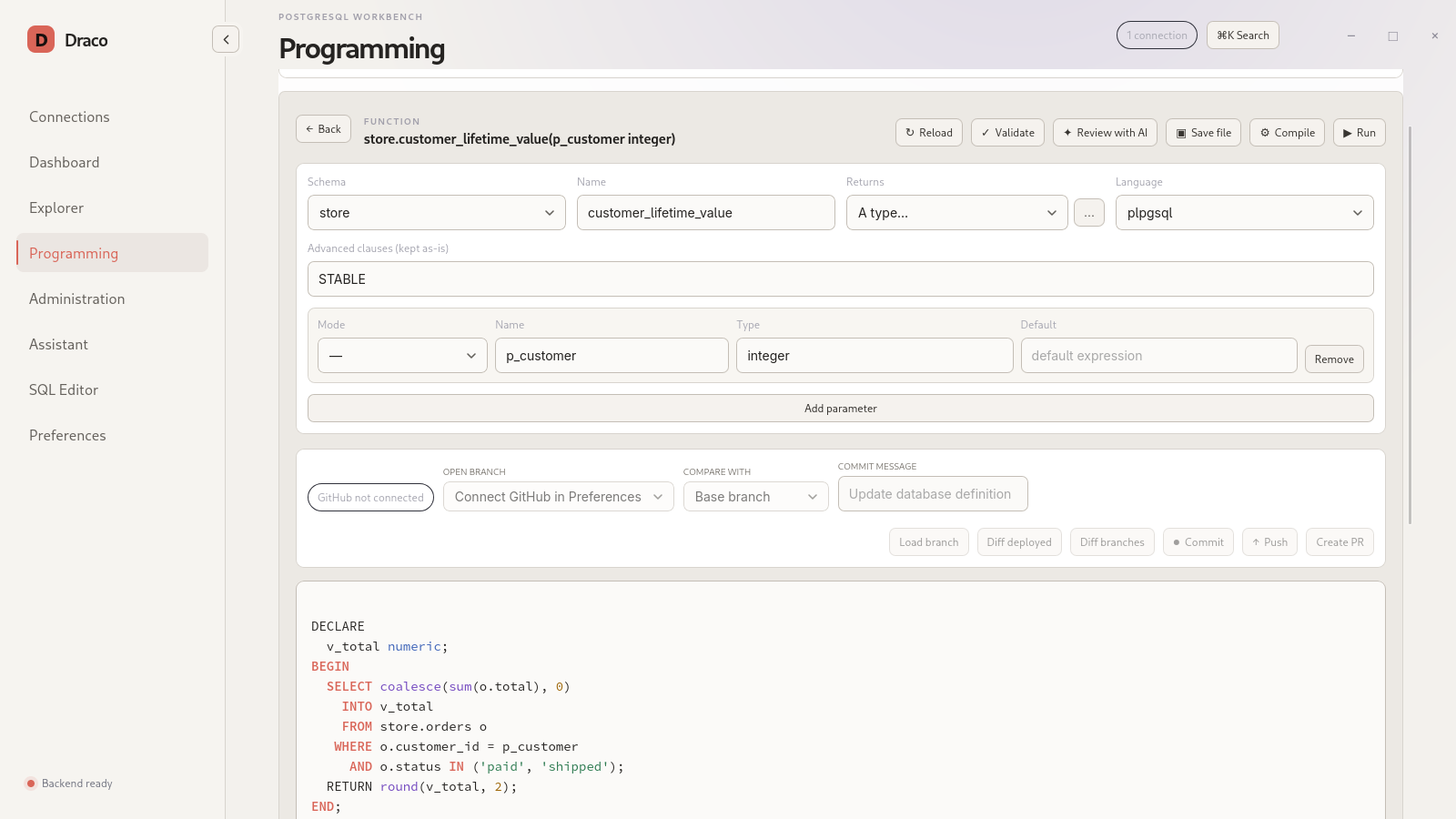
Secure by default
Draco Postgres is designed to work with real production databases without leaking secrets.
Download
Native packages for version 2.2.1, built from an immutable tag.
The official RPM is on the Open Build Service, in the
home:rodrigosbrito:lyra project. Once the repository is added,
Zypper delivers updates automatically.
sudo zypper addrepo https://download.opensuse.org/repositories/home:/rodrigosbrito:/lyra/openSUSE_Leap_16.1/home:rodrigosbrito:lyra.repo
sudo zypper refresh
sudo zypper install postgres-draco
The package is called postgres-draco because draco is
already taken in openSUSE; the installed application is still Draco.
Package page on OBS →
git clone https://github.com/britors/Draco.git
cd Draco
cargo build --locked --release -p draco-tauri
./target/release/dracoFrequently asked questions
Yes. Draco Postgres is free software, licensed under GPL-3.0-or-later, and can be used at no cost, including in commercial environments.
There are native packages for Ubuntu (.deb), Fedora and openSUSE (.rpm) and an installer for Windows. You can also build it from source on any modern Linux distribution.
No. Queries use a native PostgreSQL driver. Only backup and restore use the official pg_dump, pg_restore and psql tools.
In the operating system's credential store, such as GNOME Keyring, KWallet or Windows Credential Manager. Draco Postgres never writes passwords to configuration files.
No. The assistant only inspects the database with read-only tools. Any SQL it suggests is shown as text for you to review and run yourself.